
Deprecated: Return type of LayerShifter\TLDExtract\Result::offsetExists($offset) should either be compatible with ArrayAccess::offsetExists(mixed $offset): bool, or the #[\ReturnTypeWillChange] attribute should be used to temporarily suppress the notice in /home/cricketball761/public_html/application/third_party/domain-parser/layershifter/tld-extract/src/Result.php on line 189

Deprecated: Return type of LayerShifter\TLDExtract\Result::offsetGet($offset) should either be compatible with ArrayAccess::offsetGet(mixed $offset): mixed, or the #[\ReturnTypeWillChange] attribute should be used to temporarily suppress the notice in /home/cricketball761/public_html/application/third_party/domain-parser/layershifter/tld-extract/src/Result.php on line 203

Deprecated: Return type of LayerShifter\TLDExtract\Result::offsetSet($offset, $value) should either be compatible with ArrayAccess::offsetSet(mixed $offset, mixed $value): void, or the #[\ReturnTypeWillChange] attribute should be used to temporarily suppress the notice in /home/cricketball761/public_html/application/third_party/domain-parser/layershifter/tld-extract/src/Result.php on line 251

Deprecated: Return type of LayerShifter\TLDExtract\Result::offsetUnset($offset) should either be compatible with ArrayAccess::offsetUnset(mixed $offset): void, or the #[\ReturnTypeWillChange] attribute should be used to temporarily suppress the notice in /home/cricketball761/public_html/application/third_party/domain-parser/layershifter/tld-extract/src/Result.php on line 267

A PHP Error was encountered

Severity: 8192

Message: Creation of dynamic property CI_DB_mysqli_driver::$failover is deprecated

Filename: database/DB_driver.php

Line Number: 371

Backtrace:

File: /home/cricketball761/public_html/application/config/config.php
Line: 540
Function: DB

File: /home/cricketball761/public_html/index.php
Line: 328
Function: require_once

सदस्य गाइड -

सदस्य गाइड

सदस्य पंजीकरण

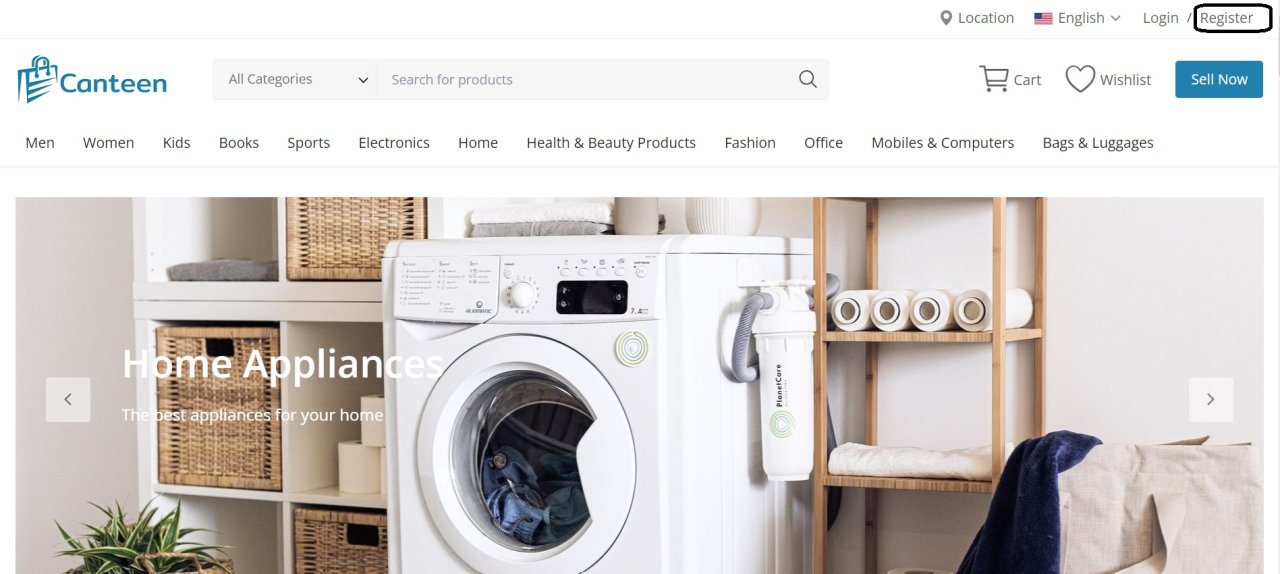
  • रजिस्टर बटन पर क्लिक करें।

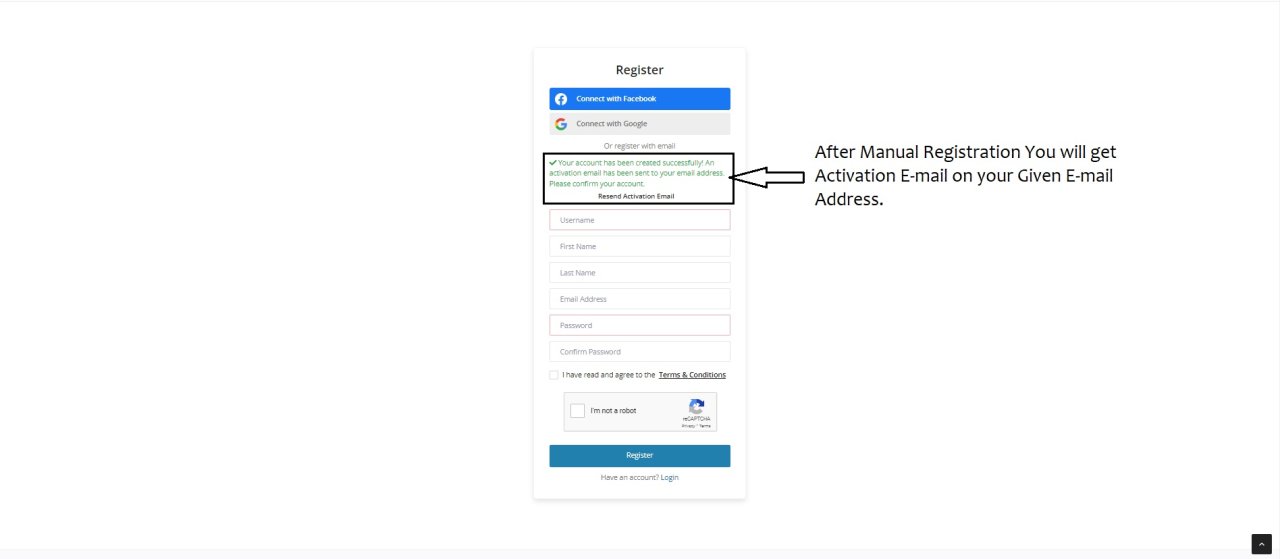
  • अपने फेसबुक ई-मेल और गूगल ई-मेल के माध्यम से रजिस्टर करें।
  • अन्यथा अपना व्यक्तिगत विवरण भरें और पंजीकृत हो जाएं।
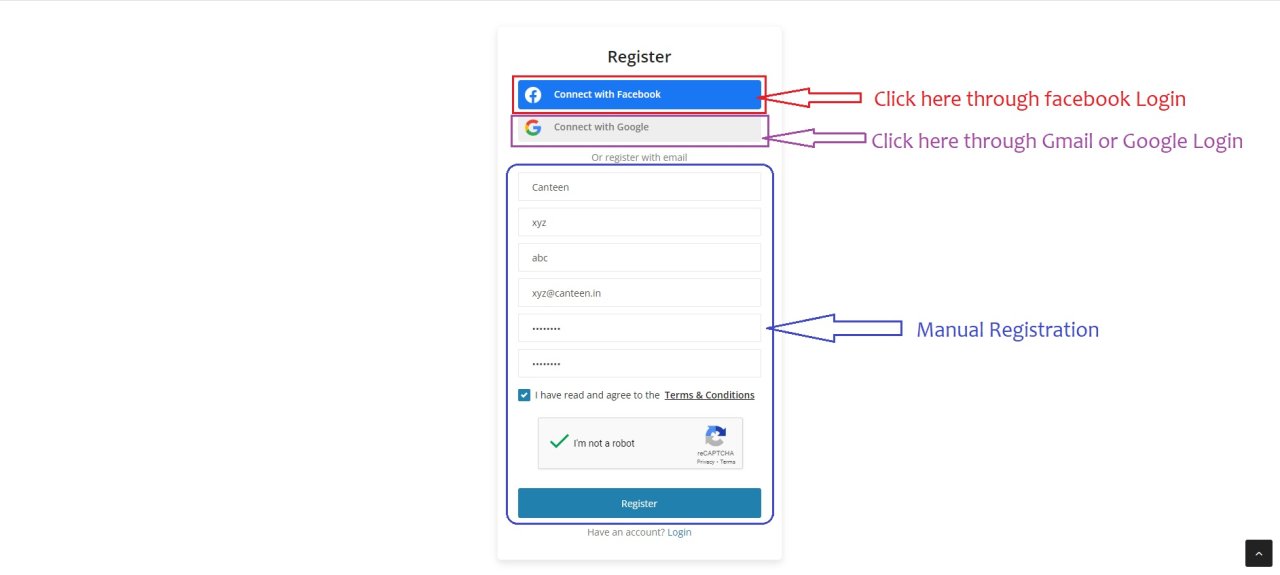
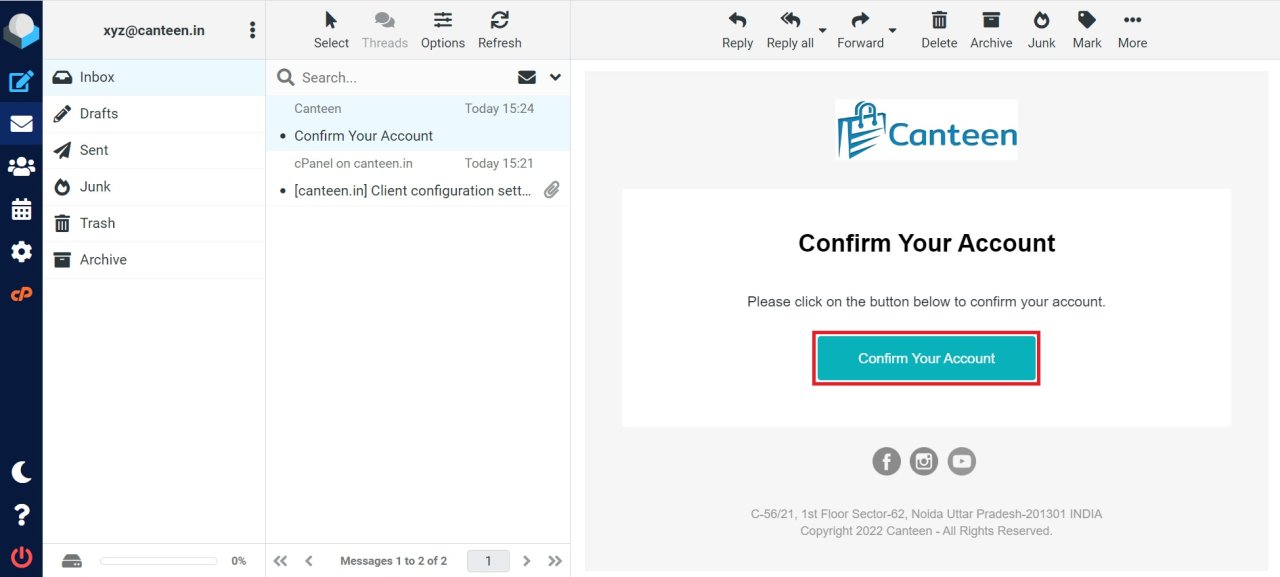
  • कन्फर्म यू अकाउंट बटन पर क्लिक करें।

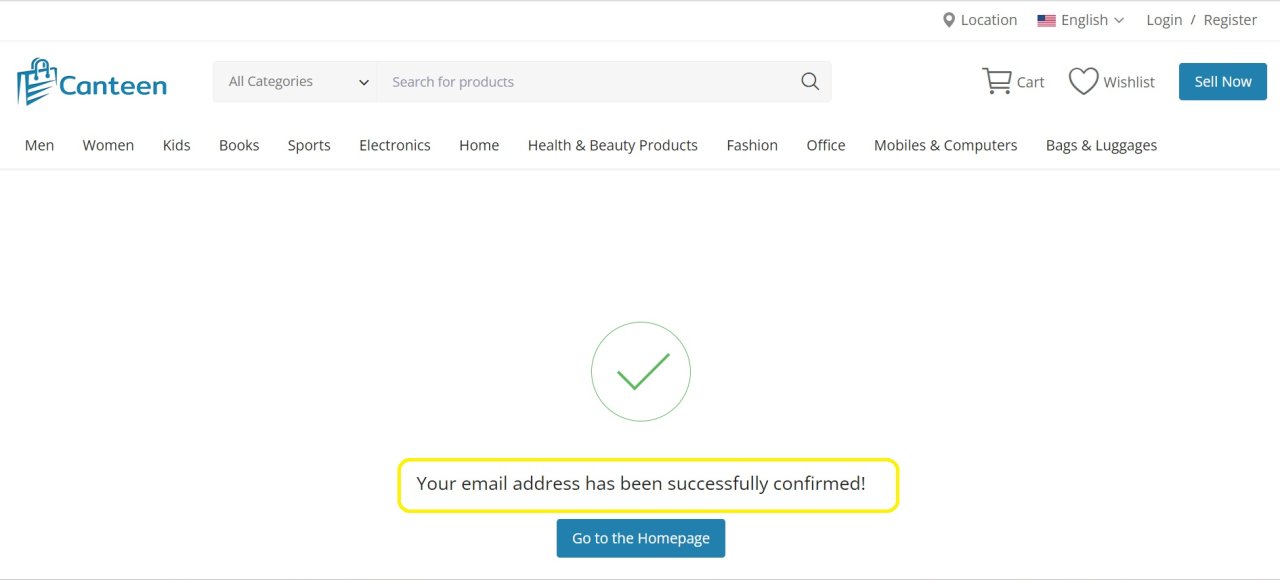
  • आपका ईमेल पता बदल दिया गया है।

  • रिक्त क्षेत्र में पंजीकृत ई-मेल और पासवर्ड दर्ज करें
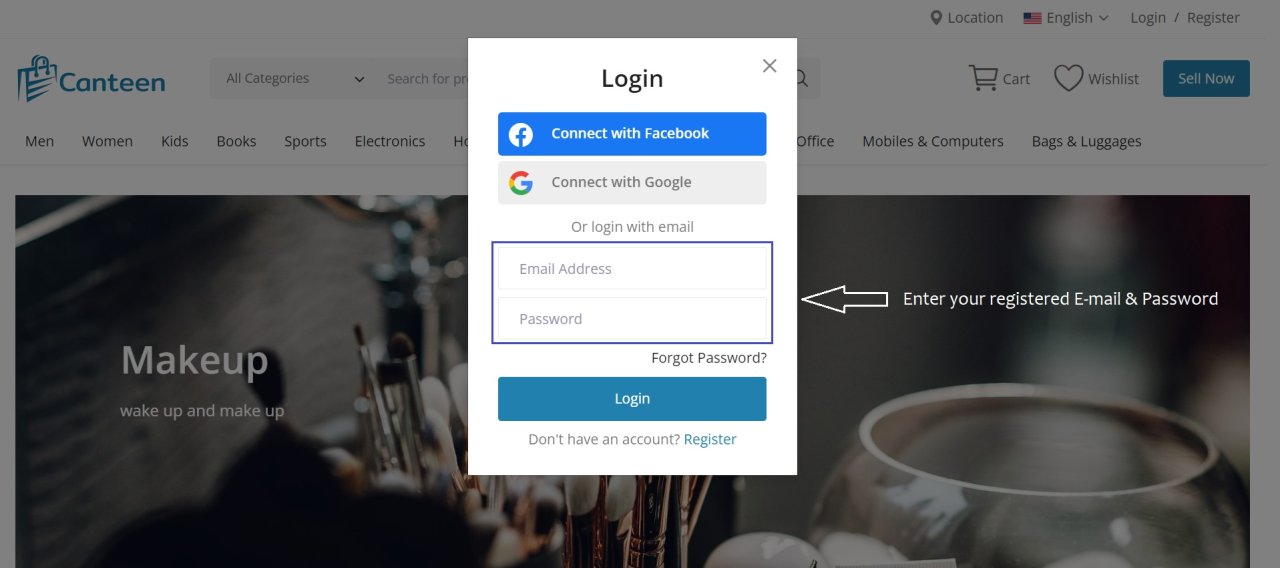
  • लॉग इन करने के बाद आप अपनी प्रोफाइल देख सकते हैं 
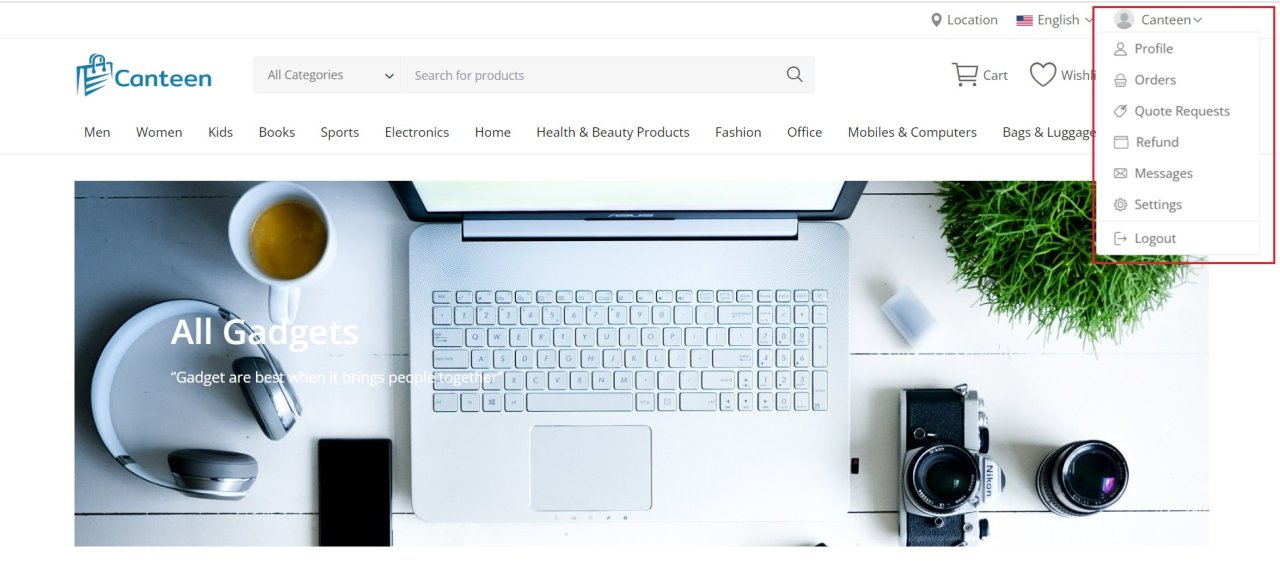
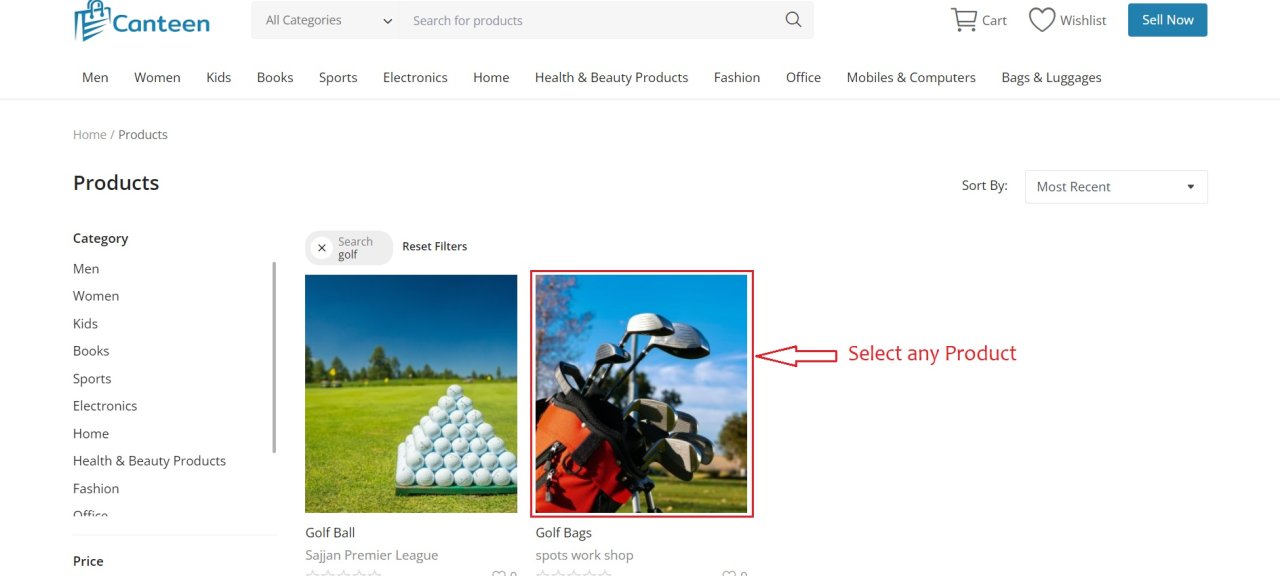
  • अब हम एक उत्पाद खरीदने जा रहे हैं।

  • उदाहरण के लिए हमने गोल्फ बैग चुना।
  • आप अपनी पसंद का रंग चुन सकते हैं।
  • अपनी आवश्यकता के अनुसार मात्रा का चयन करें।
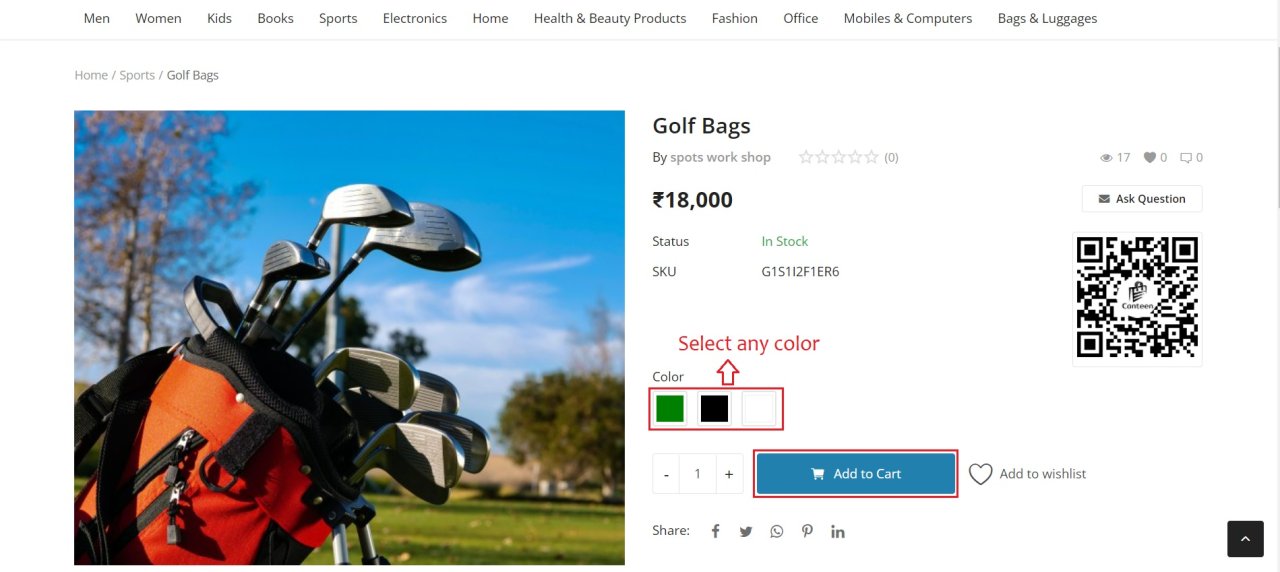
  • कार्ट का चयन करने के बाद जारी रखें चेकआउट बटन के साथ जाएं।
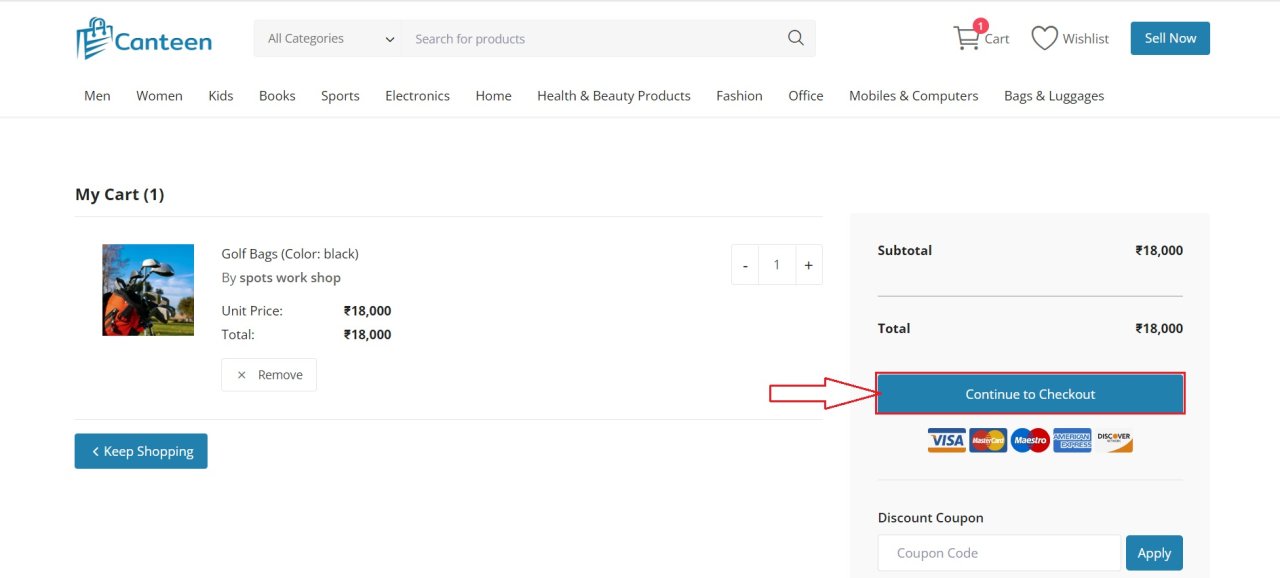
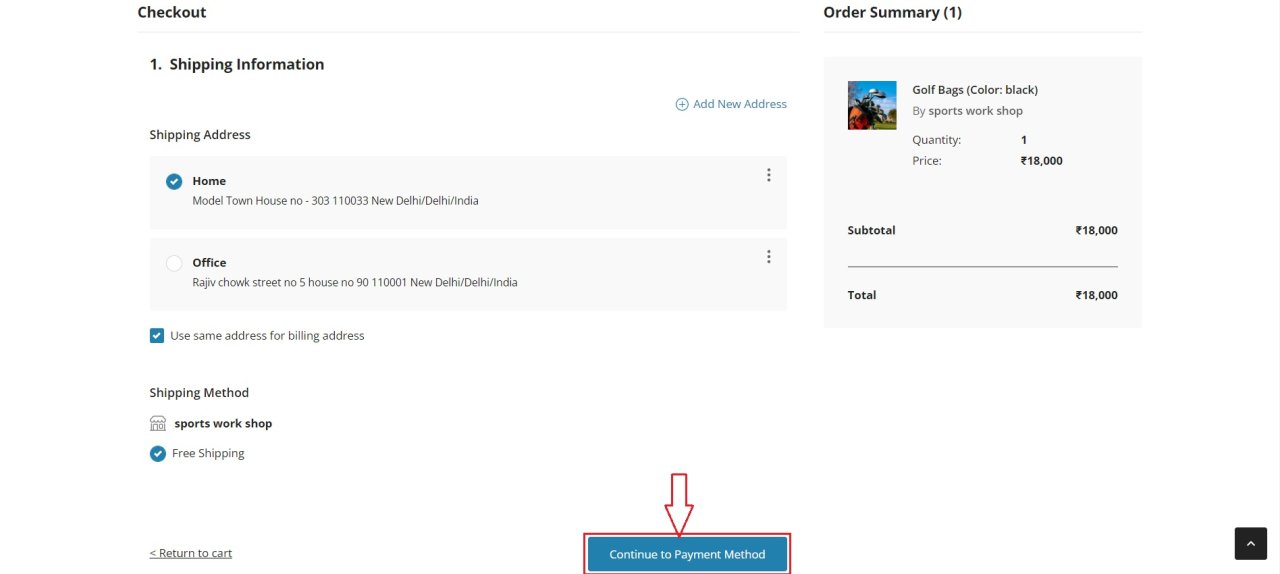
  • नया पता जोड़ने के लिए प्लस चिह्न पर क्लिक करें।
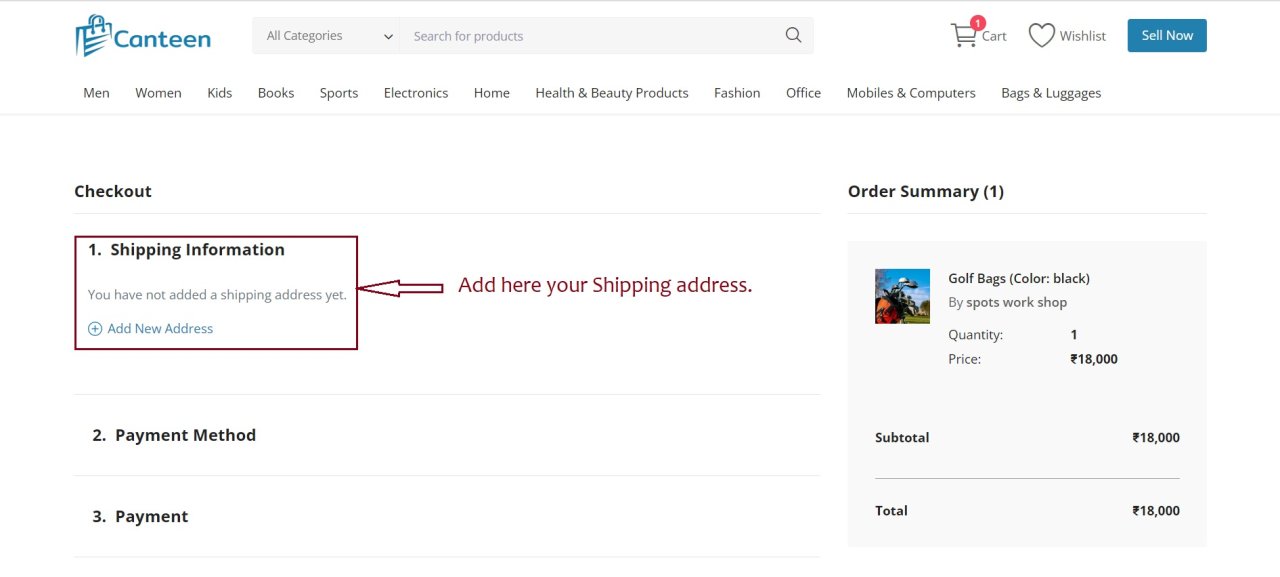
  • अपने शिपिंग पते के साथ सभी खाली फ़ील्ड भरें।
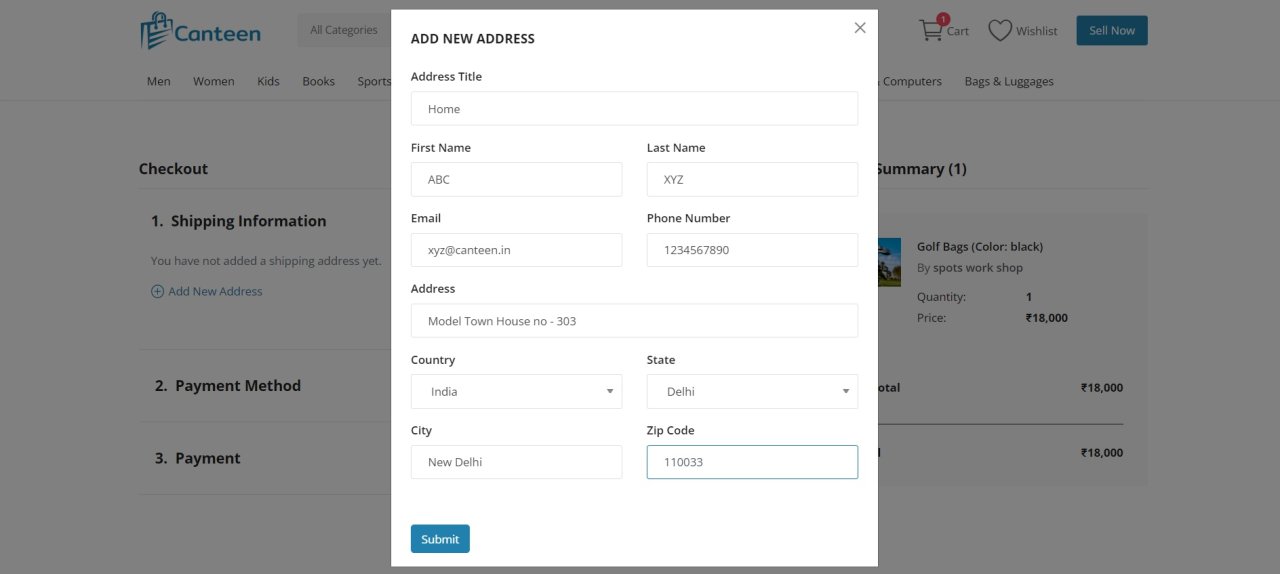
  • आप कई पते जोड़ सकते हैं और अपना ऑर्डर कार्यालय या घर पर भेज सकते हैं।
  • भुगतान विधि जारी रखें के साथ जाएं।

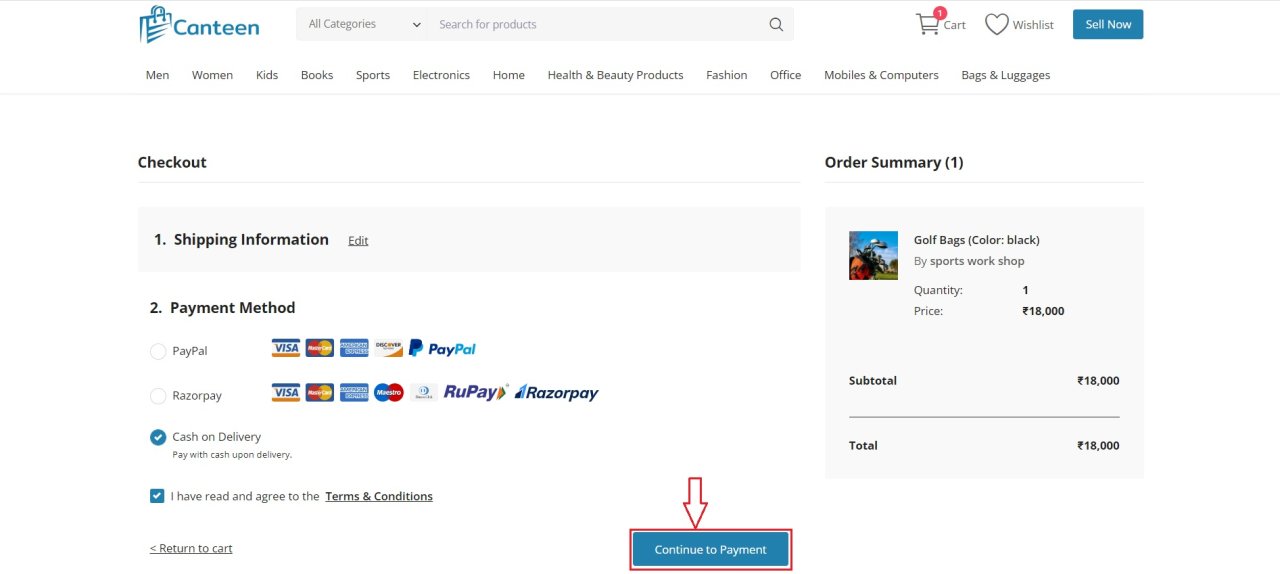
  • जैसा कि मैंने कैश ऑन डिलीवरी विधि को चुना।
  • भुगतान जारी रखें पर क्लिक करें।

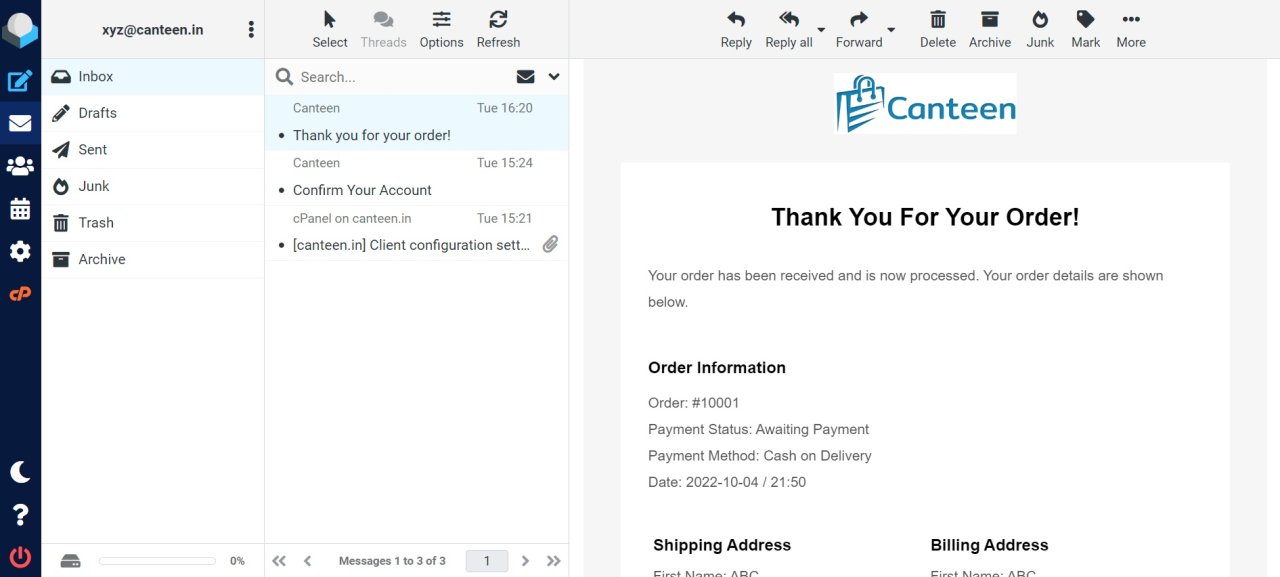
  • जैसा कि आप देख सकते हैं कि आपका ऑर्डर सफलतापूर्वक दे दिया गया है।
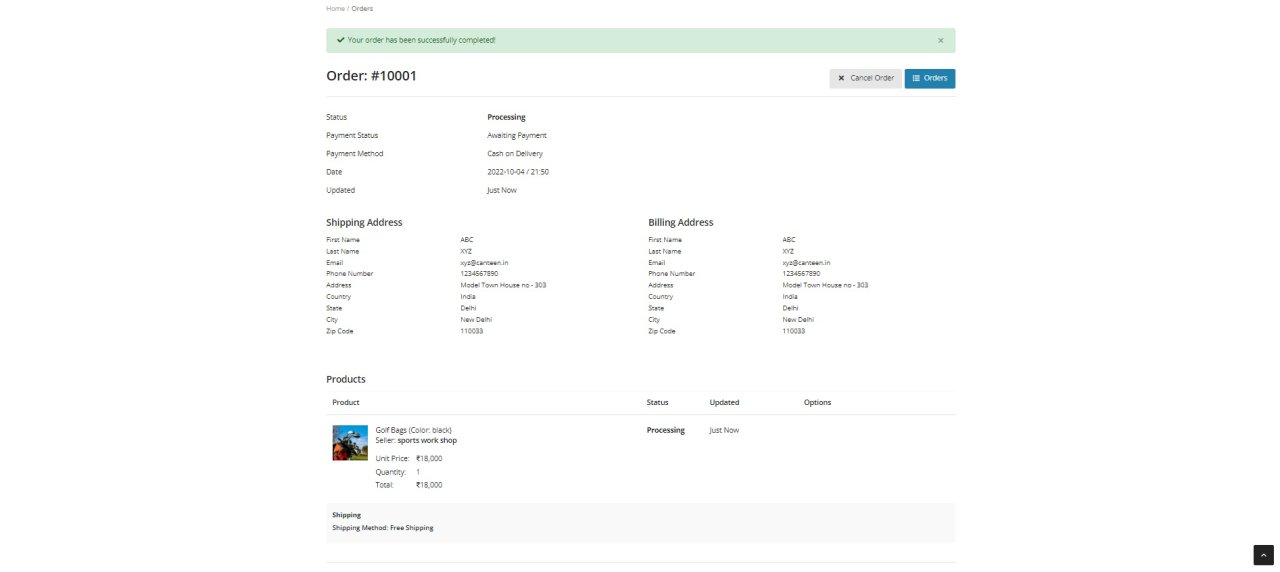
  • आपको चालान बिल के साथ आपके पंजीकृत ई-मेल पते पर पुष्टिकरण ई-मेल प्राप्त होगा।